≈ 0 kcalcalculated from the database
- Protein22 g
- Carbs26 g
- Fat16 g
Type, speak or take a photo. You can edit the values before saving.
 HEDEFIT
TRComing soon
HEDEFIT
TRComing soon
Workouts · Nutrition · Cardio · AI coach
Your workouts, meals, runs and coach in one place. Your exercises and calories are calculated from verified data; AI reads your plate from a photo, reviews your week and answers your questions using your own data. Your goals are not left to it: based on your height, weight and aim, they are calculated.
How it works
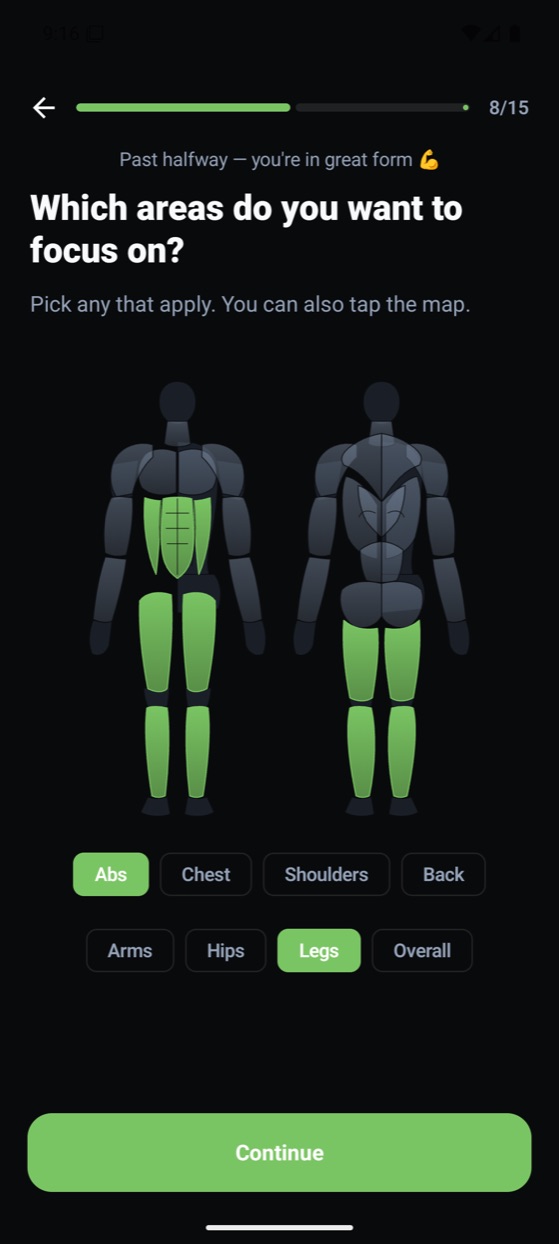
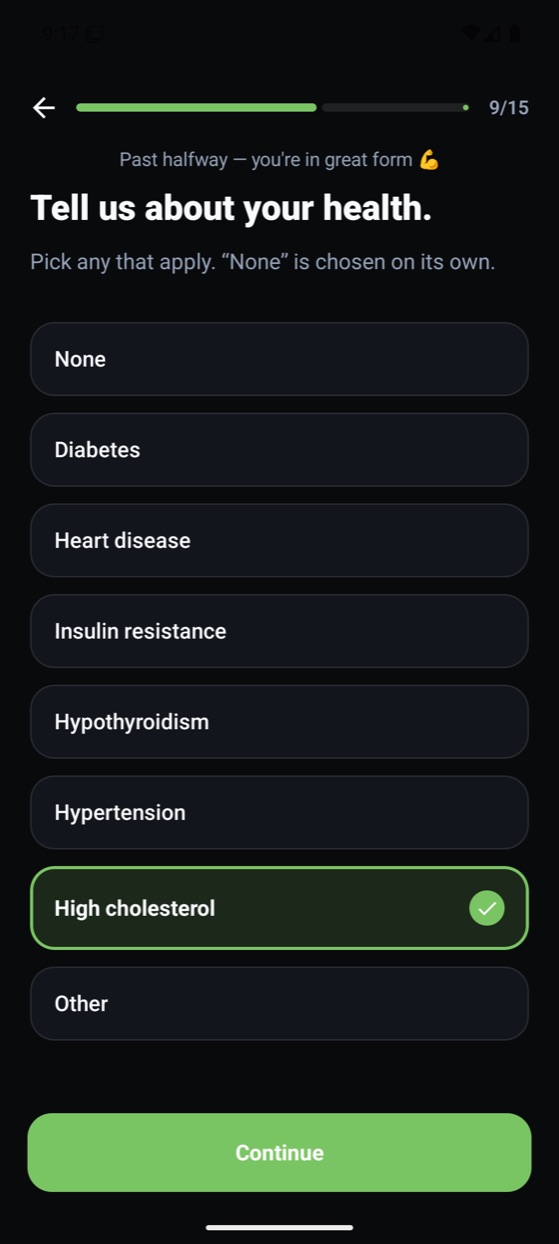
Start as a guest without signing up, or create an account. Answer seven short questions: your goal, days per week, time available, where you train and with which equipment.
Lose weight, build muscle or maintain your shape. Hedefit calculates your weekly pace, finish date, and daily calorie and macro targets from your profile.
Your personal program, animated exercises and Fit Coach are ready. Start a workout, add a meal, track your progress.
AI and data
AI takes on the tiring jobs: reading a plate from a photo, reviewing your week, answering your questions, recognizing a machine at the gym. But critical numbers are not left to it: exercises in your program come from a verified atlas, meal calories from a database, and your goals from scientific formulas.
Type, speak or take a photo. You can edit the values before saving.
Type “2 slices of bread, omelette”: portions and calories are calculated from a Turkish-cuisine database. Or photograph your plate: AI recognizes the foods and estimates the amount. Either way you can choose grams or pieces and edit before saving.
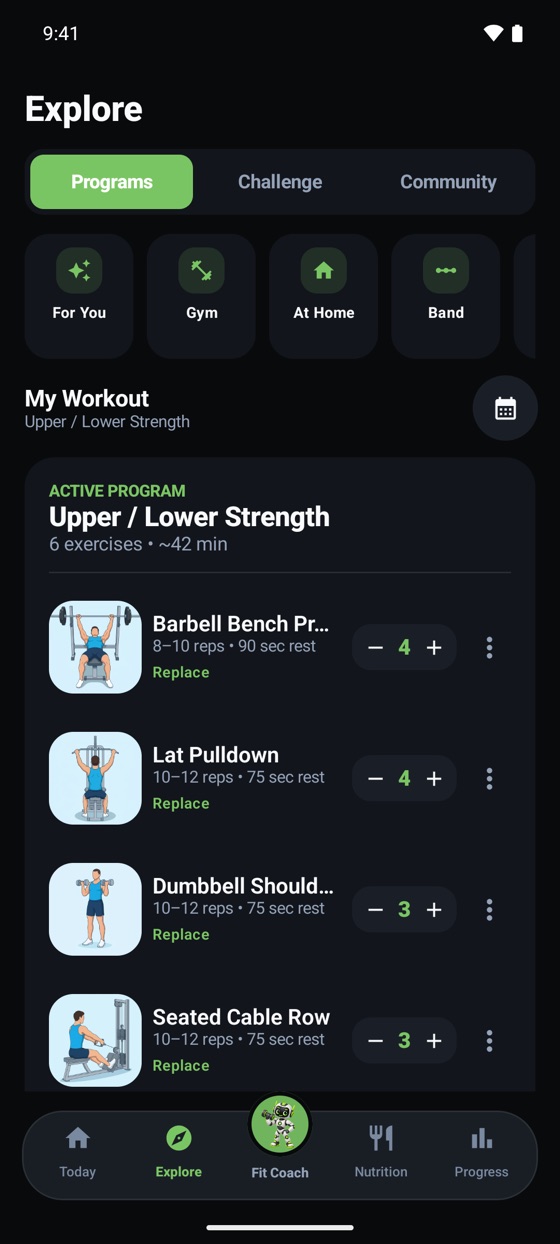
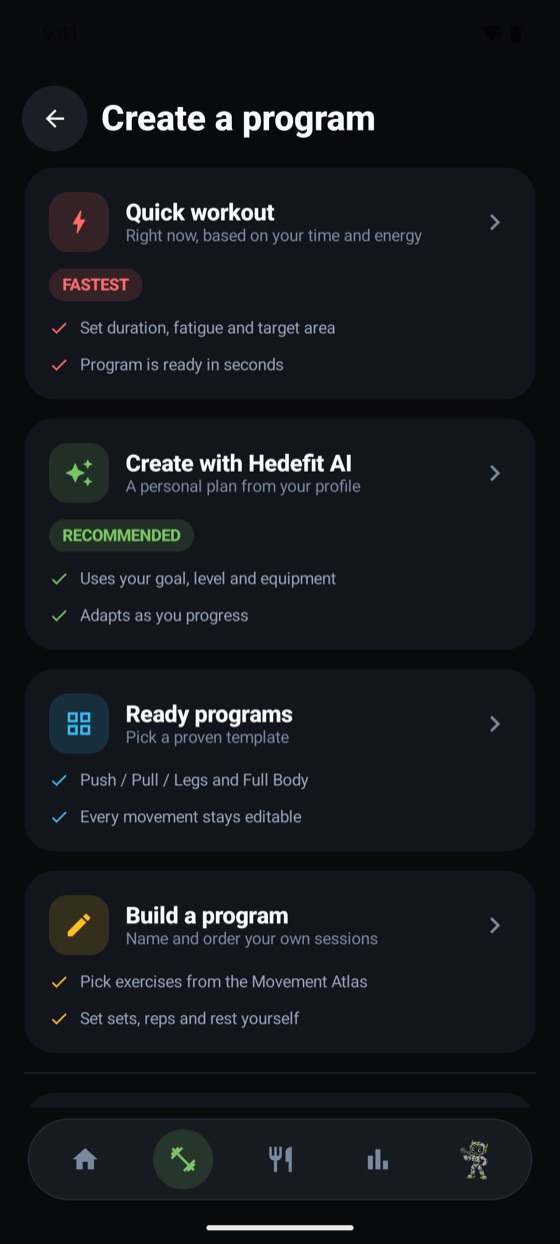
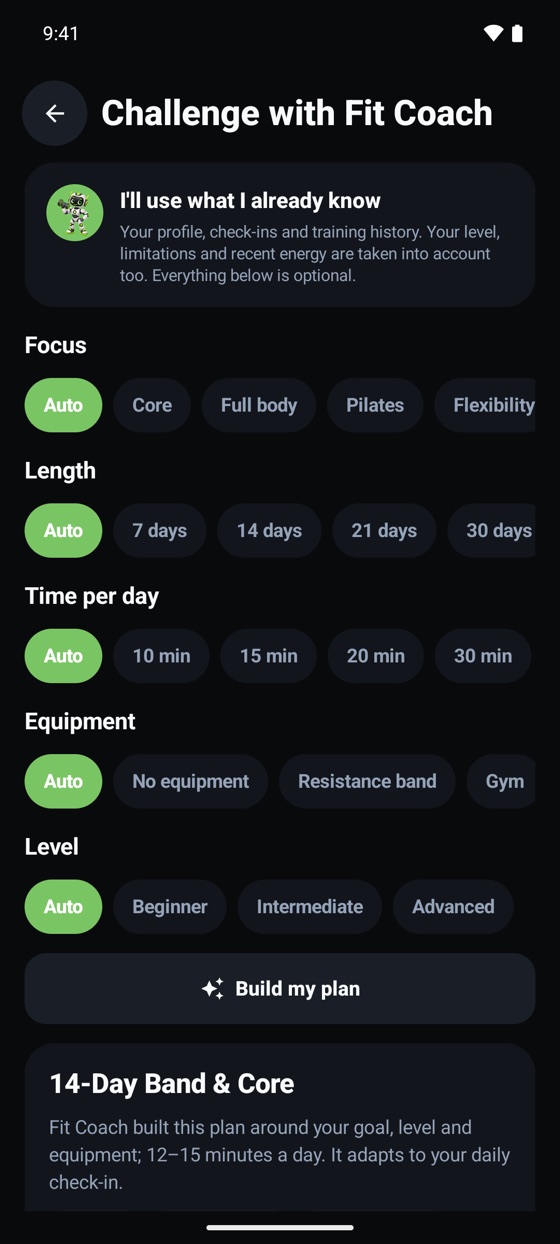
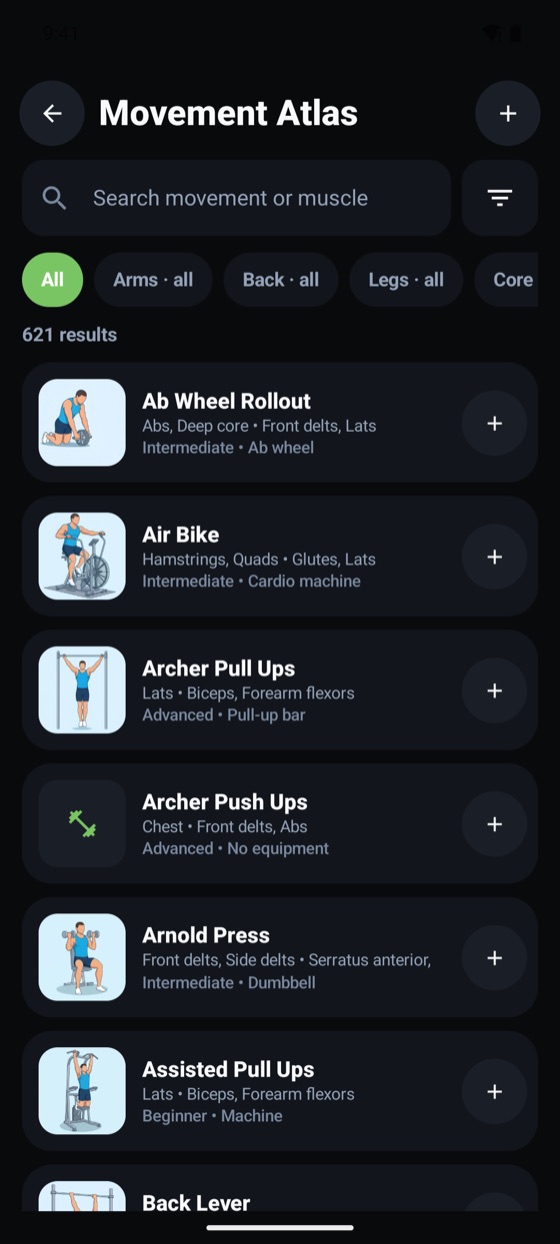
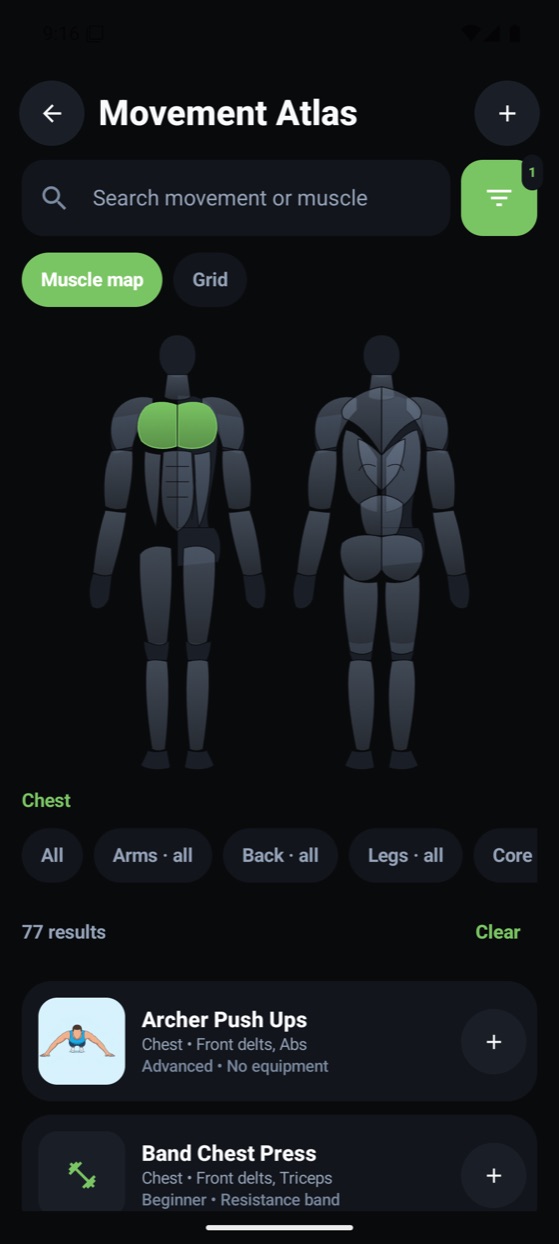
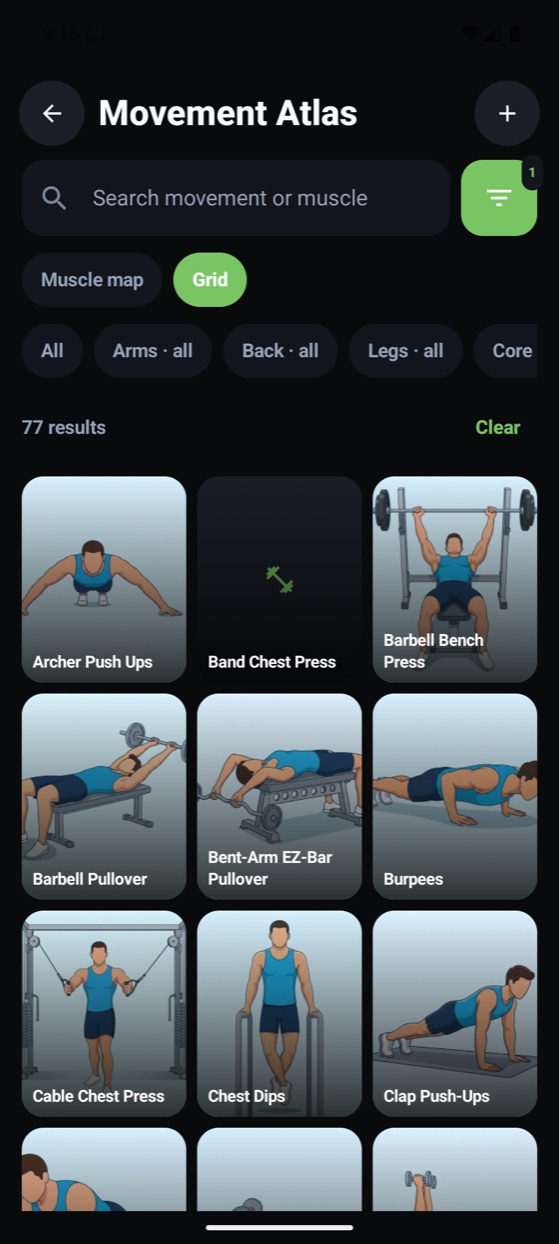
“Create with Hedefit AI” builds a personal program from your goal, level, equipment and profile. It picks exercises from a verified atlas of 600+ moves, and AI explains the reasoning in a personal note. Even if you only have dumbbells or only a resistance band at home, you get a full-body program; it refreshes weekly or monthly while your main lifts stay fixed for your progress. Quick workouts, ready templates and your own programs are there too.
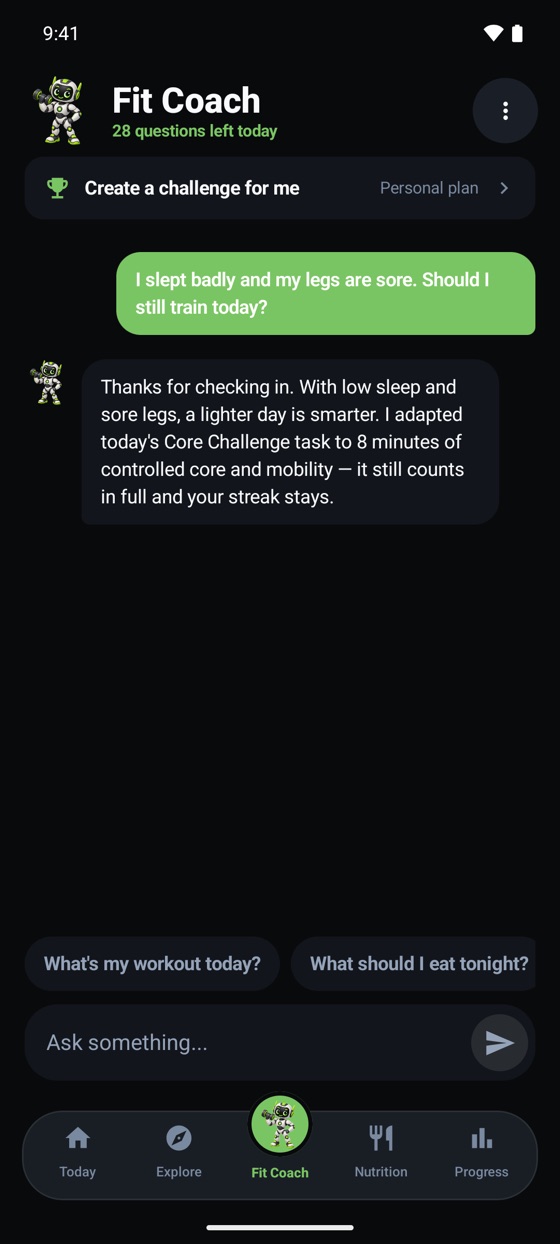
Questions like “What's my workout today?” or “What should I eat tonight?” are answered from your own workout, nutrition and progress records, not generic advice. It remembers important details; you can see and delete its memory.
The weekly review summarizes what went well, what to watch and suggestions for next week, always with a safety note.
Take a photo of a machine at the gym; Hedefit identifies the equipment and helps you find suitable exercises for your program.
Your daily calorie and macro targets are calculated from your profile with formulas, and activity calories with MET values. AI works only where an estimate is needed (portions from photos, comments, suggestions), so your targets stay consistent and realistic.
The difference
Workouts, meals, cardio and routes in one place
Records split across 3–4 apps
Calculated from your profile, sources shown
A generic template or a guess
Reads photos and reviews your week; exercises, calories and goals are calculated from verified data
Either none, or everything left to a black box
Answers using your own data
The same generic advice for everyone
600+ exercises with animated previews
A text list
XP, streaks, challenges with friends
Tracking only
Five sections, one flow
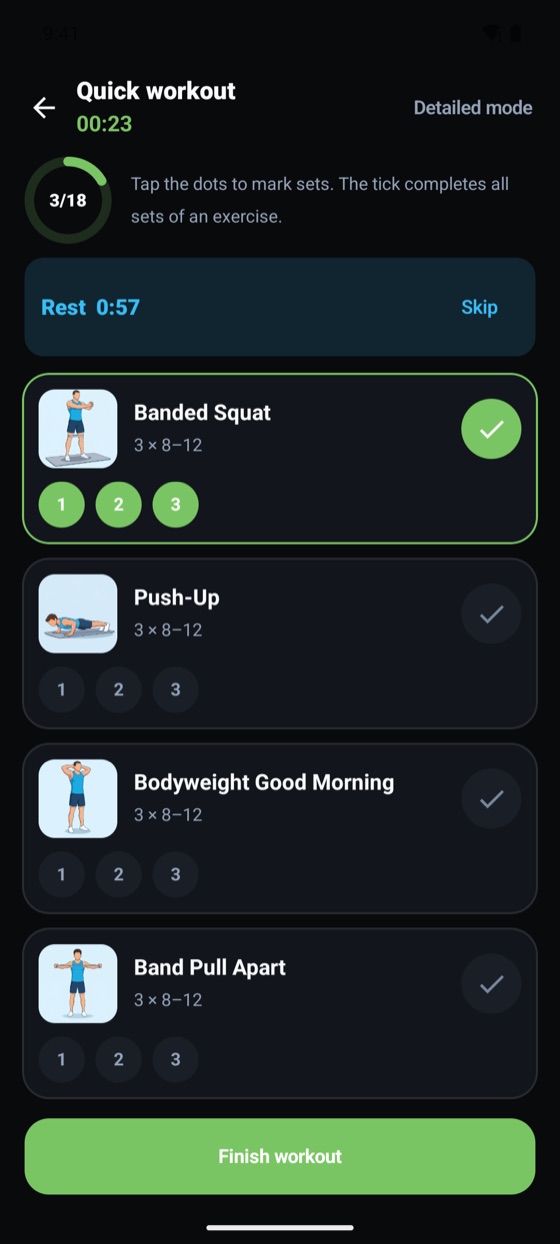
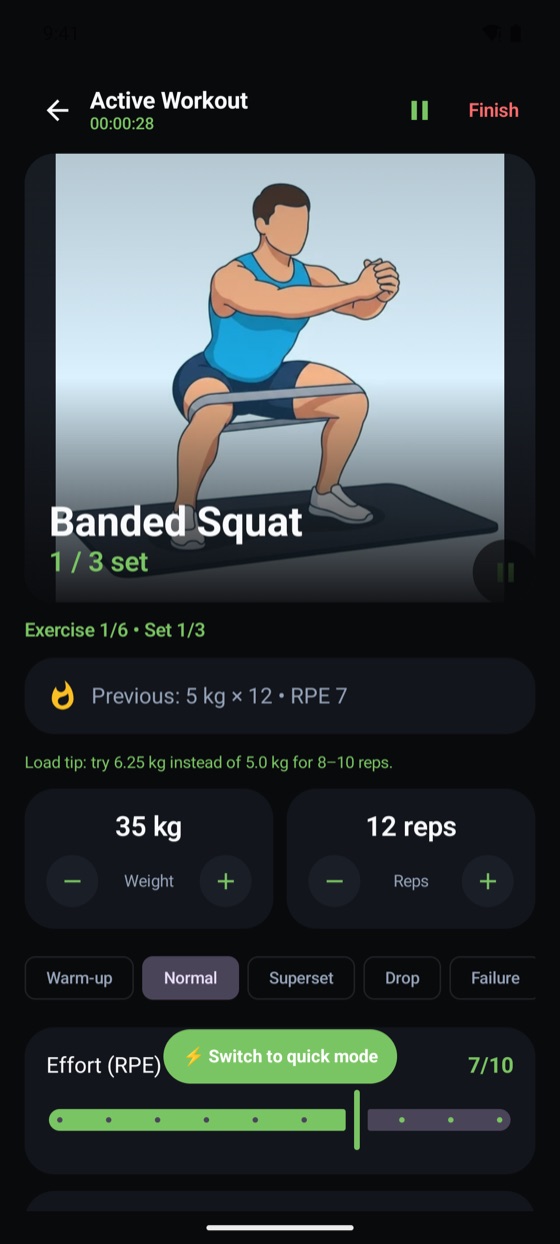
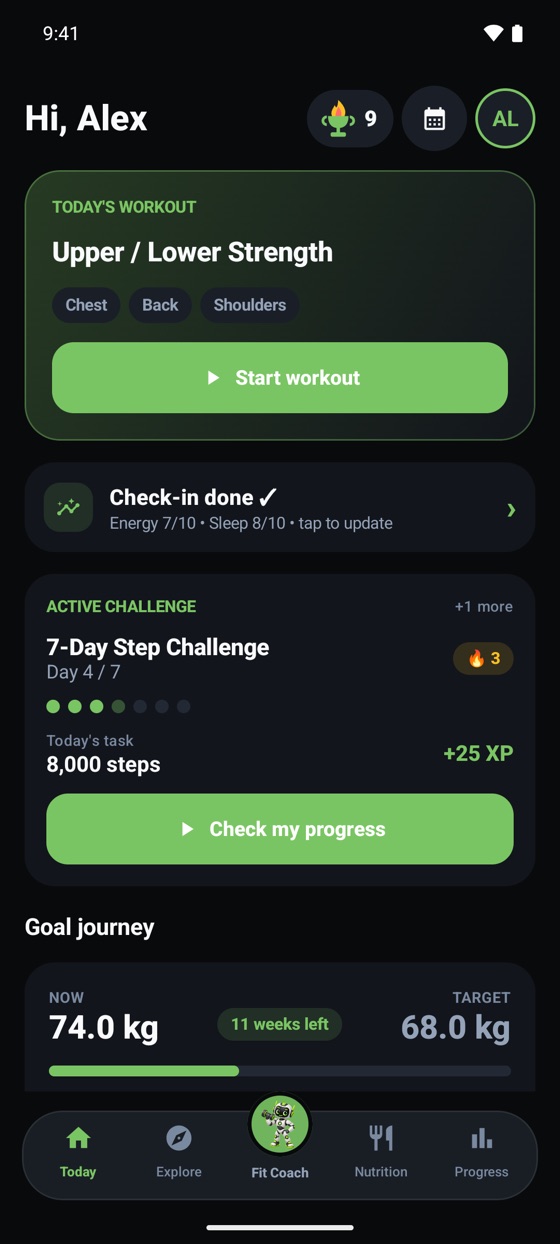
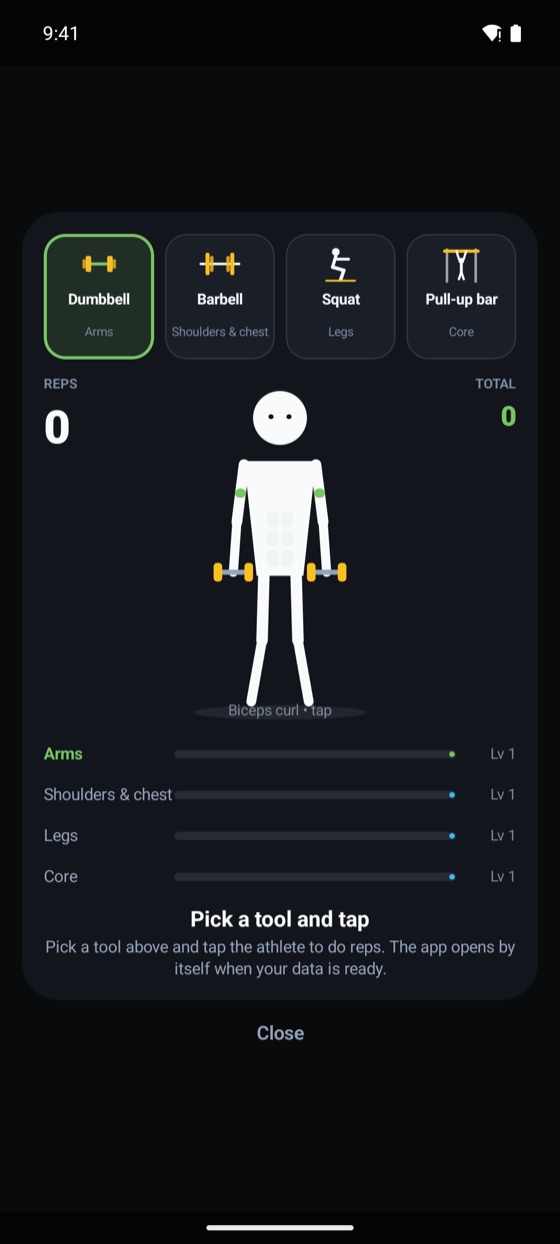
Today's workout waits on the home screen. Every exercise comes with an animated preview; during the workout you mark your sets with one tap or log them in detail.
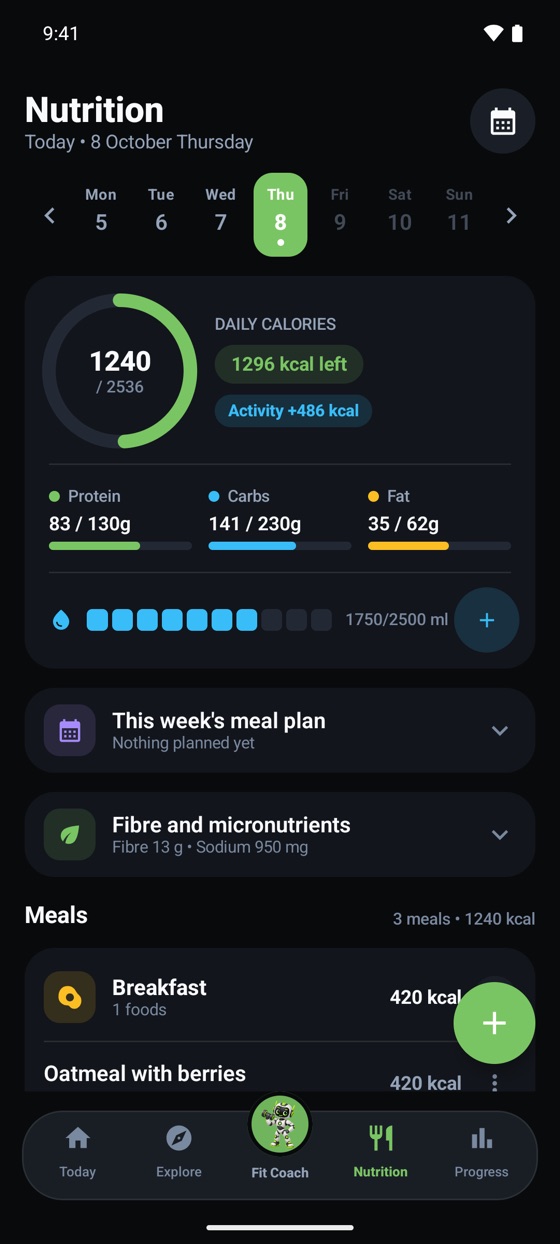
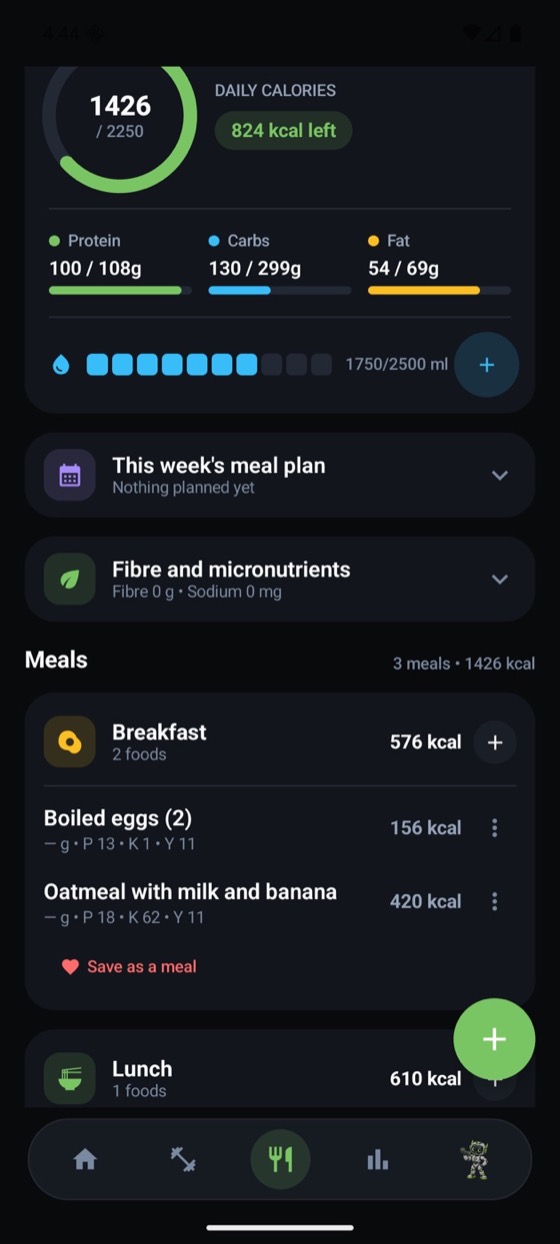
Calorie ring, protein–carb–fat bars and water tracking on one screen. Type your meal and its calories are calculated from a Turkish-cuisine database; or photograph your plate.
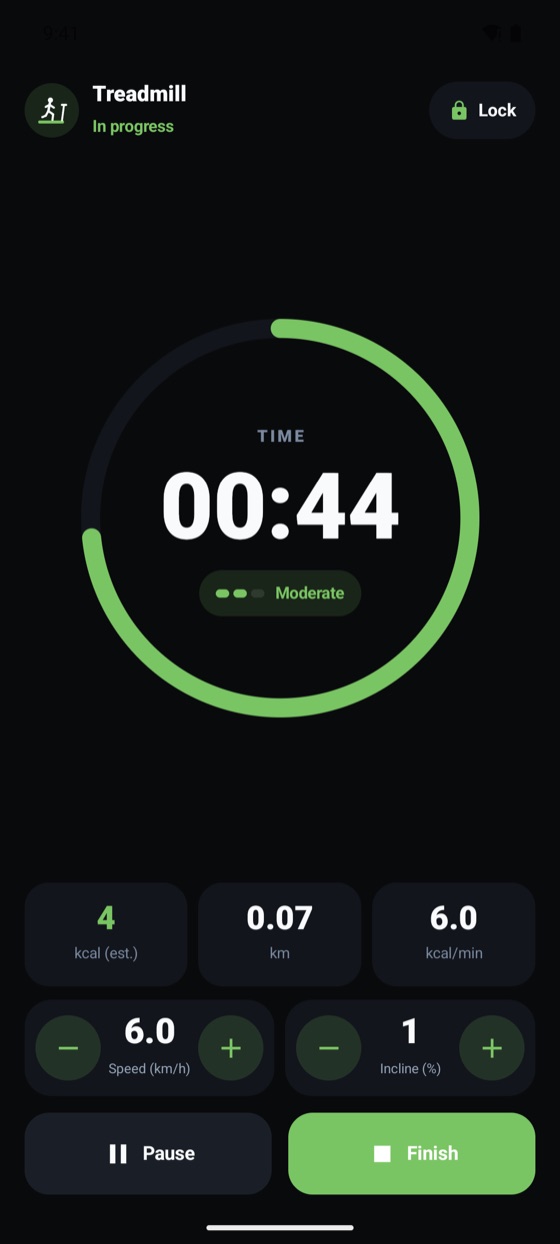
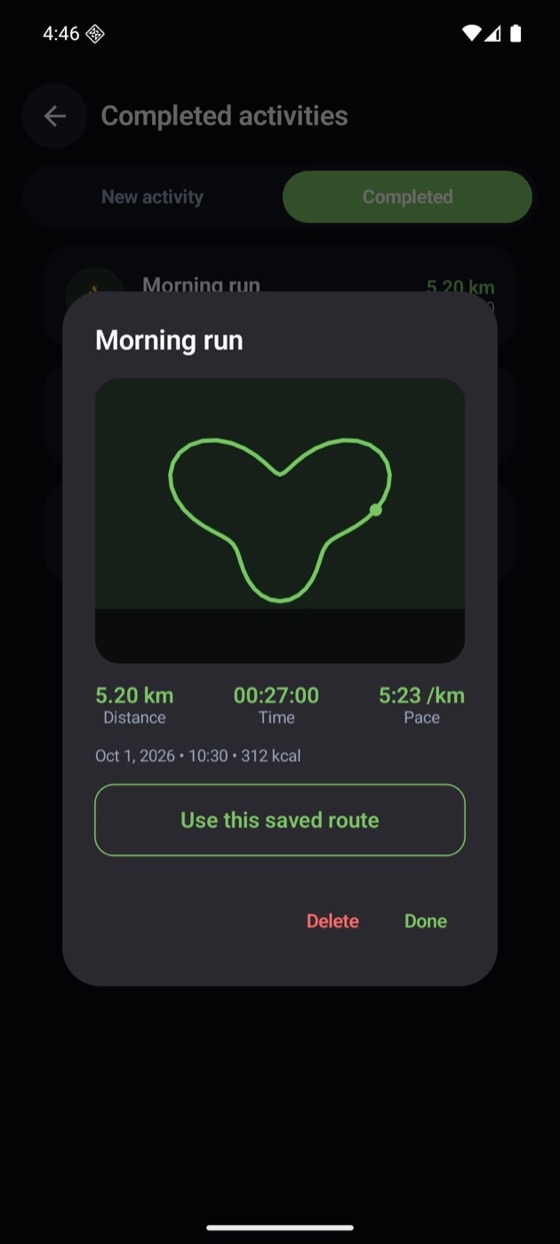
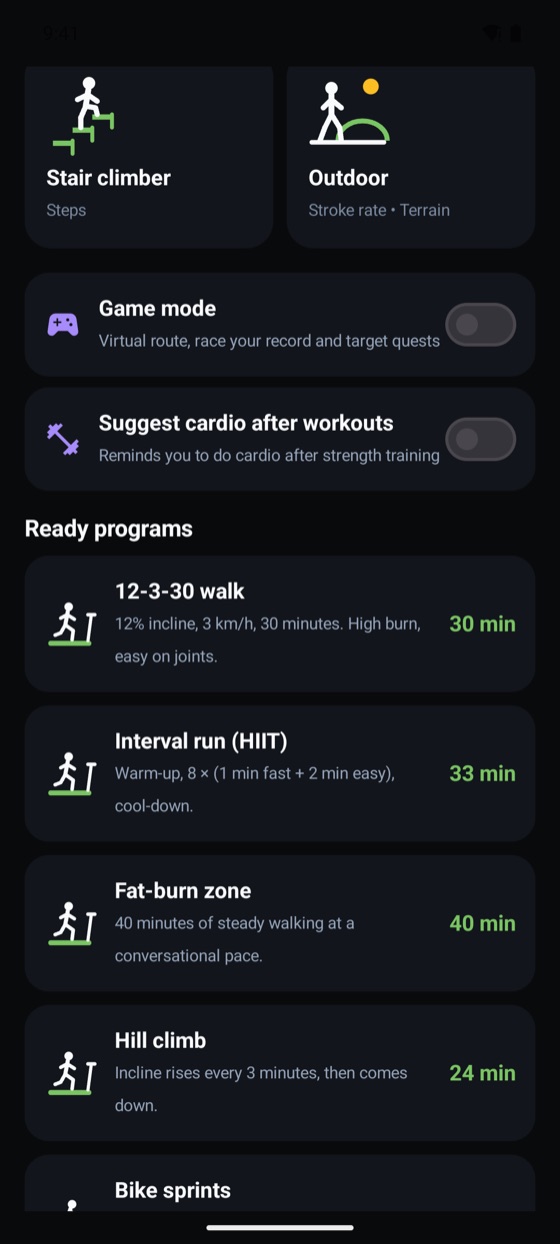
Pick your machine and tweak its settings live; the calories you burn are added to your daily total. Outdoors, record your route with GPS, or even plan it in advance.
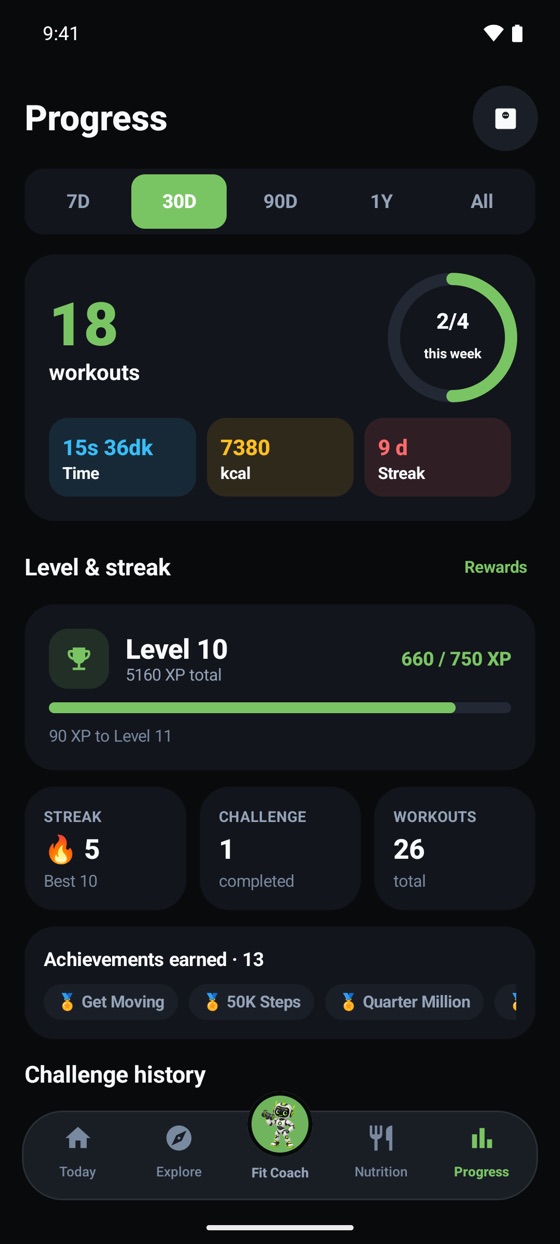
See which days you trained, your streak and weekly workout time on the calendar. In the goal journey, your path to your target weight is split into milestones.
Ask whatever comes to mind about training, nutrition or progress. Start with ready questions or write your own.
Goal journey
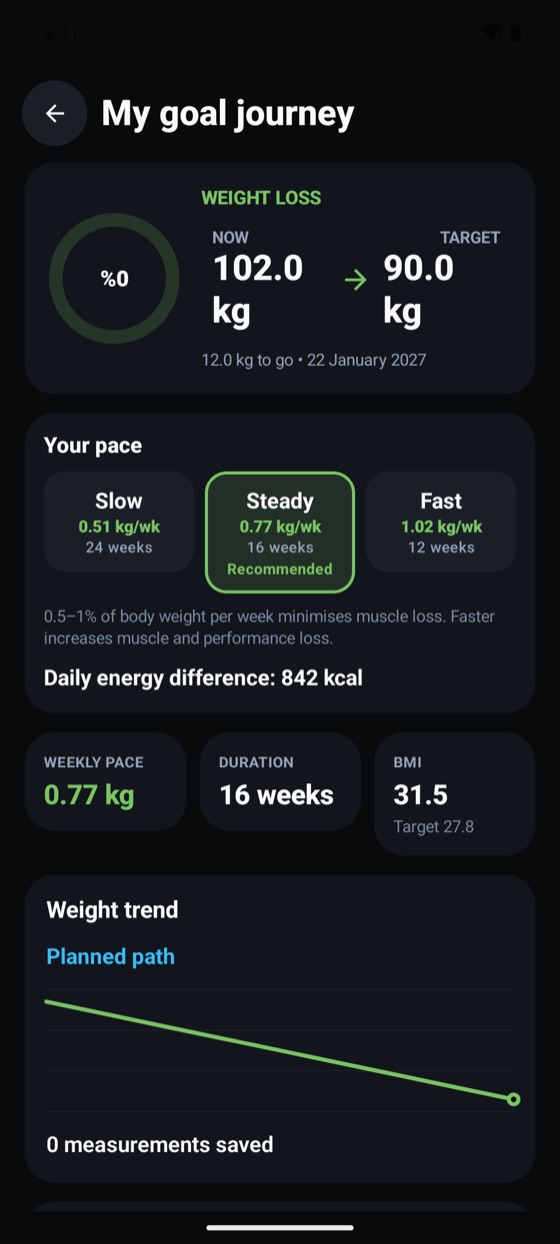
Lose weight, build muscle or maintain your shape. Choose your goal; Hedefit calculates your weekly pace, finish date and milestones. Change your choice and the roadmap is redrawn instantly.
WEIGHT LOSS
Example: 102 kg, 180 cm. Hedefit calculates values from your profile.
Example records. Calories are calculated with the app's formula.
Hedefit Routes
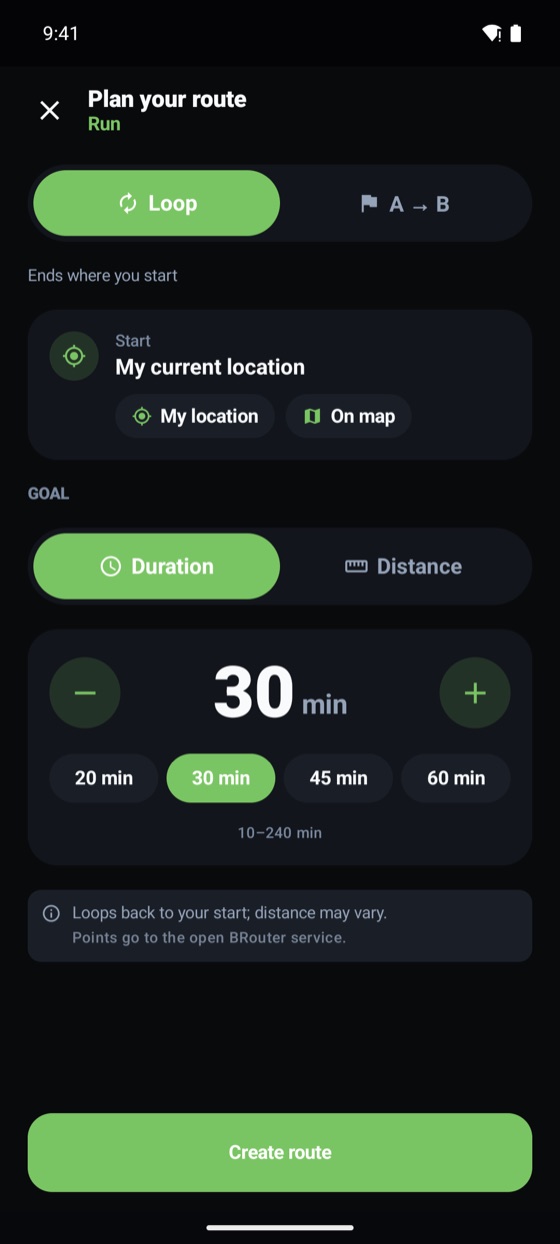
Plan a loop or A → B route by time or distance. GPS recording continues in the background; turn off the screen and focus on your run.
Run · Walk · Trail run · Hiking · Cycling · Skiing
Share card
Generate a visual from a finished activity with one tap: three templates (Map, Minimal, Energy), story or standard format and a live preview.
Example display; illustrations inspired by the in-app templates.
Smart watch · coming soon
Hedefit is coming to your watch too. Add water, finish your set, watch the rest timer and record your run, all from your wrist. Designed for Wear OS and Apple Watch.
The watch app pairs with your phone and uses the same account. Your watch's health data can also be transferred via Health Connect (Samsung, Garmin, Xiaomi, Amazfit, Pixel Watch / Fitbit).
Design preview; the app is in development. Values are examples.
Example: tablet held in landscape. Screenshots are from the phone.
Tablet and foldable
Turn your tablet into a workout stand: held in landscape, the exercise list and set screen sit side by side; held upright, they stack. Your hands on the weights, your eyes on one screen.
Quick actions
Customize the home screen; keep your most-used shortcuts on top.
Quests, XP and achievements
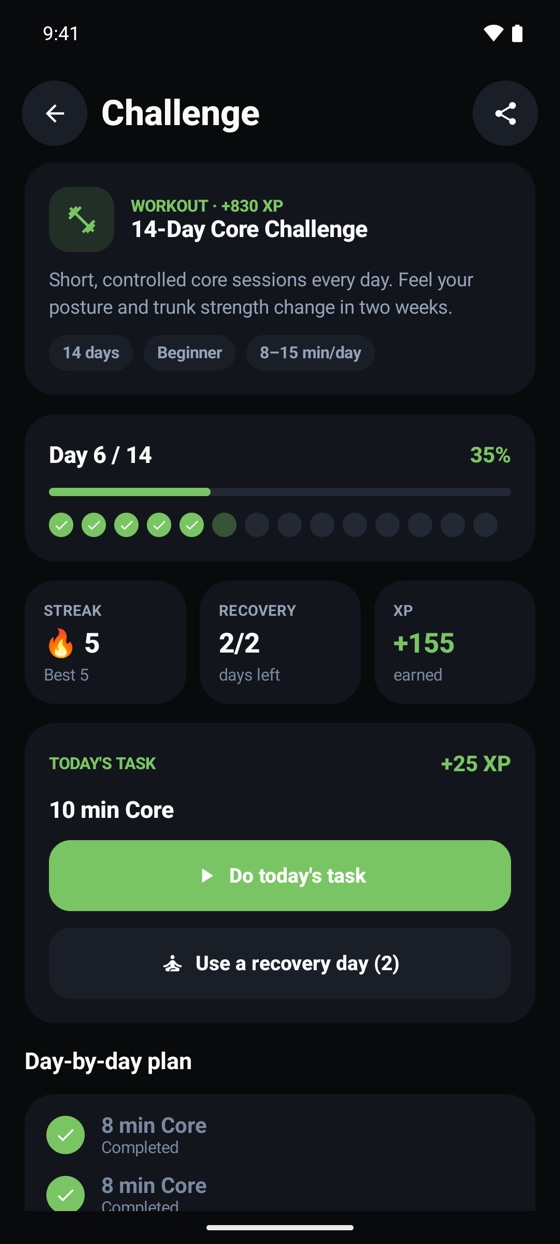
Earn XP from workouts, steps, routes and goals; level up, keep your streak, unlock achievements. New quests wait for you every day.
Example display; quests change every day.
Explore · Community
Add a friend, pick a challenge and start one of two modes: Complete Together (you both finish and earn bonus XP) or Compete (who’s ahead on steps or completed days?). No feed, comments or messaging; just fitness.
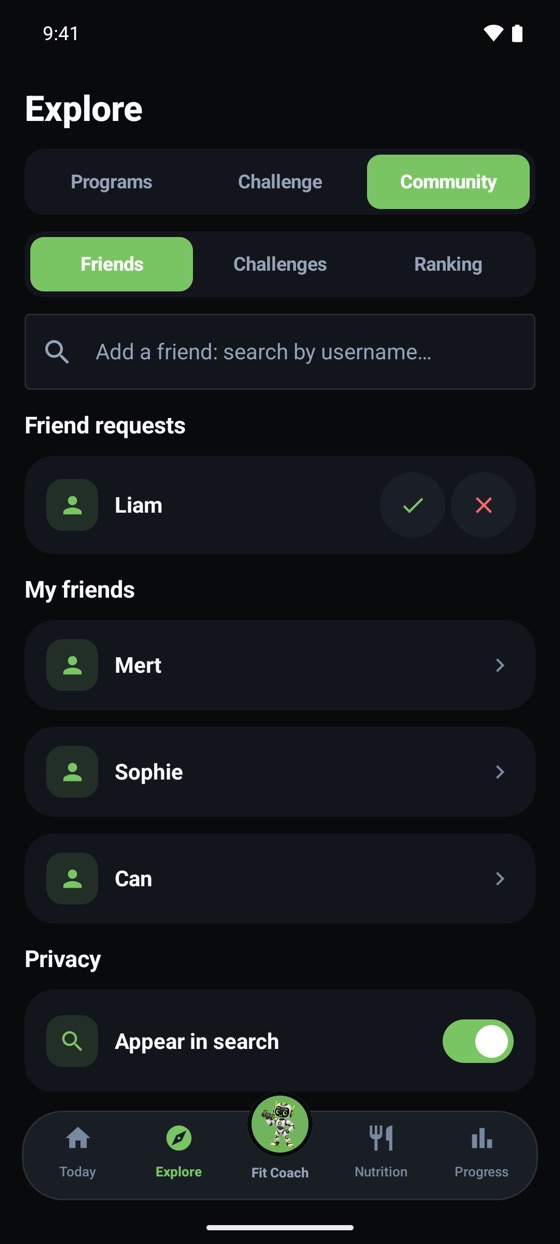
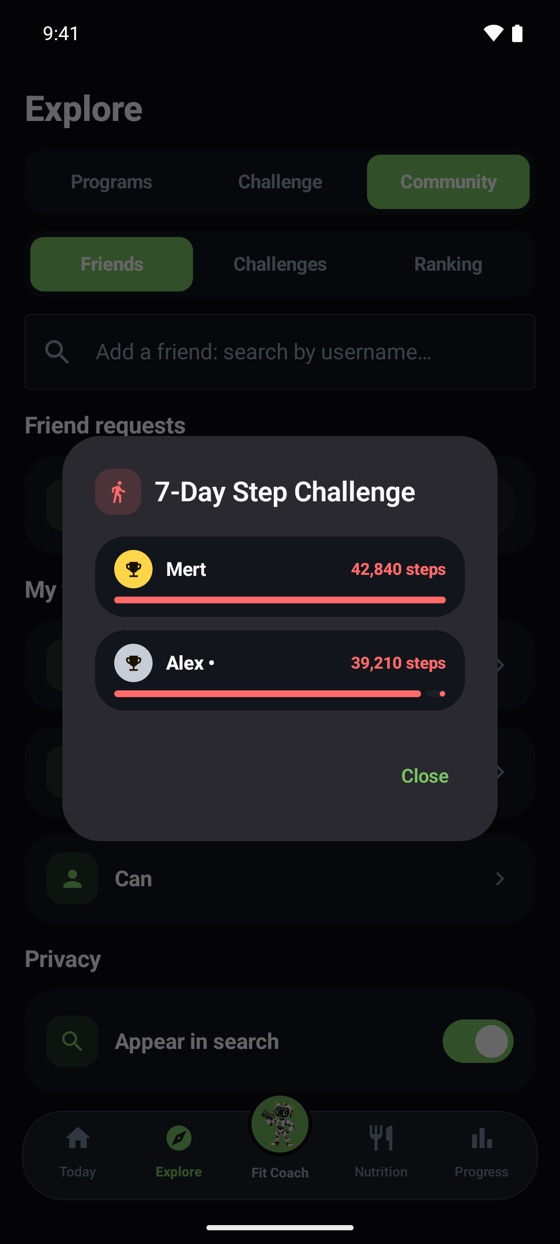
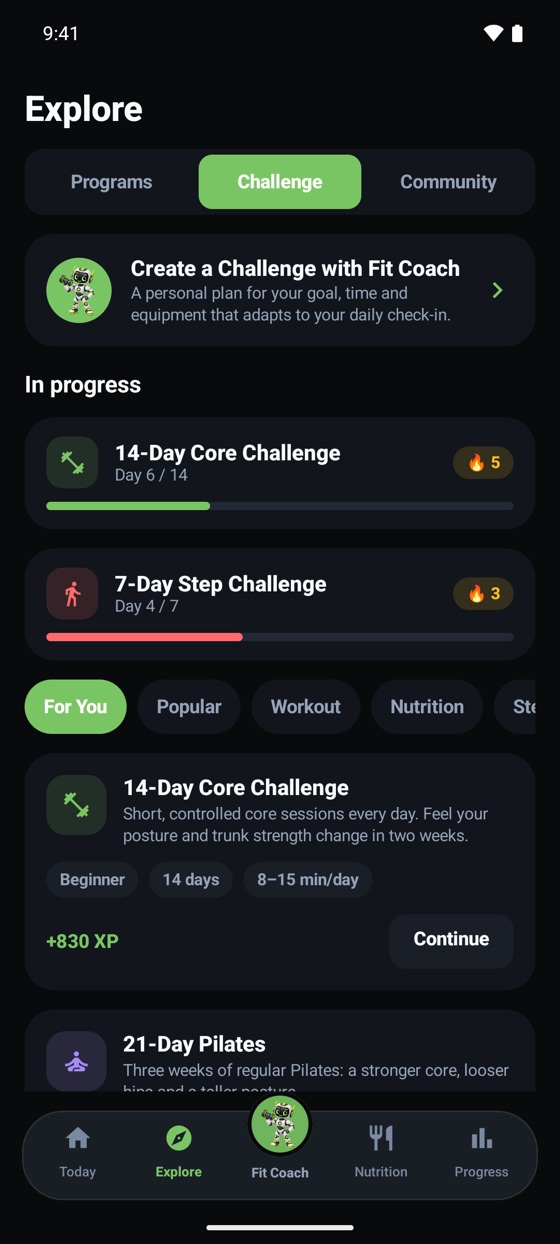
Friends only see your level, streak, challenges and badges; your weight, calories, sleep, nutrition, check-ins and cycle data are never shared. Names and numbers on screen are examples.
Tools
The app’s calculations run here too. Everything stays in your browser; nothing is saved.
These are estimates, not medical advice. The pace is capped at 1% of body weight per week. In the app this is set up automatically from your height, weight and goal.
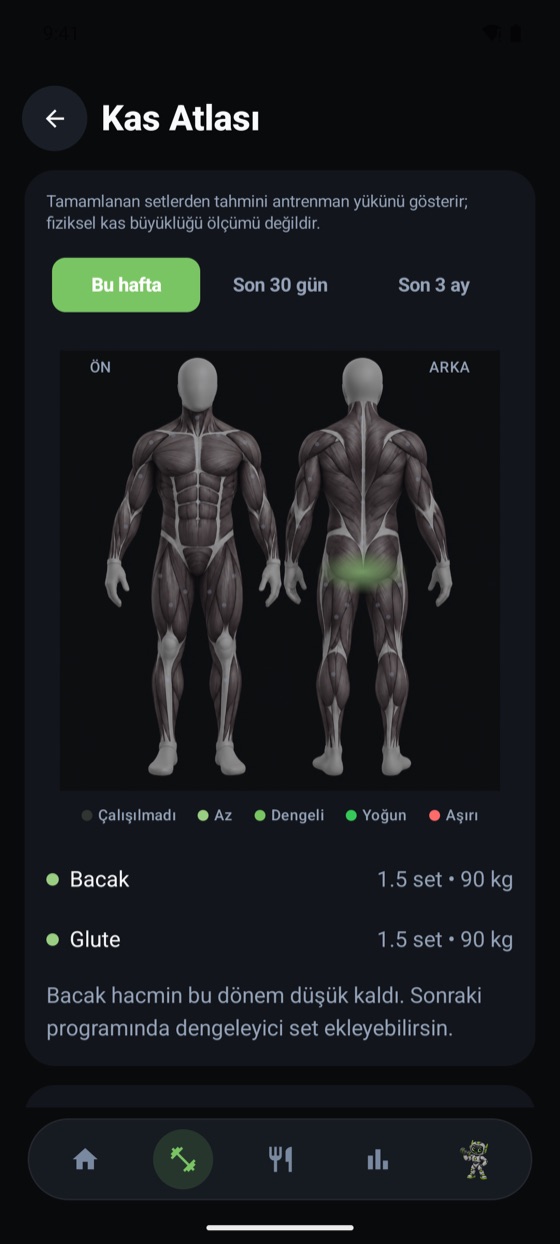
A schematic view. The atlas in the app shows the estimated training load for each muscle from the sets you complete.
Sample data.
Estimates (for 70 kg, average pace). The app records your route with GPS and shows the real figures.
Screens
Privacy and trust
Health data is sensitive. We built Hedefit accordingly.
Your data is never sold. Your health and nutrition data is not shared for advertising.
You can permanently delete your account and all data tied to it from the app. If you prefer, freeze it first or reset only your progress data.
Your location is used only when you start a recording with Hedefit Routes, and only for the duration of the recording.
Meal and equipment photos are processed only for analysis; they are not stored on our servers.
Your calorie and macro targets are calculated from your profile with formulas. AI works where an estimate is needed, and your data is not used to train models.
Friends see only your XP and activity summary; your meals and measurements stay hidden. You can hide yourself from username search if you like.
FAQ
No matching question. You can write to us from the support page.
Yes, you can start for free. Workout, nutrition and progress tracking are free. You get 3 Fit Coach questions a day as a guest and 5 on a free account; XP you earn from quests increases this. Plus and Premium plans offer higher limits, all exercises and an ad-free experience; see details on the plans page. Prices will be published on the store pages.
Data tied to your account (workouts, meals, routes, measurements) is stored in a secure cloud database and, through row-level access rules, is open only to your account. Your friends see only your XP and activity summary; your meal and measurement records stay hidden. For AI features (meal analysis from photos, Fit Coach, weekly review, equipment recognition), the information needed for a reply (the text you wrote or the photo you chose, plus a short summary of your profile, workouts and nutrition records) is sent to the AI provider. Meals you add by typing are mostly calculated from Hedefit's own food database; if an estimate is needed for a food not in the database, the text you typed may also go to the provider. Fit Coach may keep short notes in narrow categories such as your goal, preferences and constraints in its “memory”; these notes are deleted when you delete your account, and if you want them removed without deleting, you can write to the support address. Your username can be searched by other users who type at least 2 characters; you can turn this off with the “Appear in search” setting on the Friends screen.
In the app, follow Profile and settings → Delete account permanently . Deletion is permanent. Before deleting you can freeze your account or reset only your progress data. For details, see the account deletion page .
Yes. You can start as a guest and save your account whenever you like so your progress isn't lost.
No. Hedefit is a fitness and habit-tracking app; it does not replace medical diagnosis or treatment. If you have a health condition, consult your doctor before starting a program.
Hedefit's own watch app is in development: adding water, workout sets, the rest timer and cardio recording will be controllable from your wrist on Wear OS and Apple Watch. In addition, on Android your watch's health data can be transferred to the phone app via Health Connect (Samsung, Garmin, Xiaomi, Amazfit, Pixel Watch / Fitbit).
Yes. On tablets the workout screen opens in “stand mode”, split side by side in landscape and stacked in portrait. Foldable phones switch to the wide layout (side navigation bar) when unfolded; stand mode opens only on tablets.
Android (Google Play) and iOS (App Store). The app offers a Turkish and English interface.

Hedefit is getting ready for Google Play and the App Store.